Posts

Showing posts with the label Gulp

Installing Gulp and Package.json
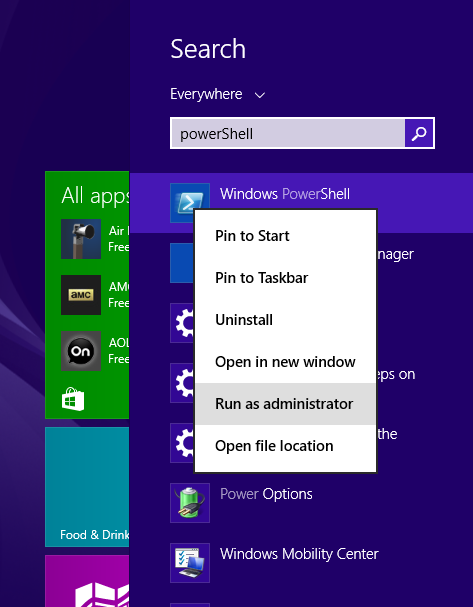
Image
Installing Gulp First we need to run PowerShell and run as Administrator Before install gulp need to install Node and npm (Node package management) Node Npm First check whether any old version is installed if so need remove that version. For that need to run this command npm rm install gulp -g (rm : remove) (-g : globally ) Ones it's completed run command for install npm install gulp-cli -g Then create project and move to that folder npm init ->Initialize a Project This will prompt get some input from developer in this following order Name: Version: Description: entry point :(Project main file) Test command: Git repository : Keyword : (tag related to project) Author : license:(this defaults to ISC) When finished above process package.json created. What is package.json? JSON file so easy to read includes the packages and applications it depends on Project metadata project's name, description, and author allows the separation production depende...

Gulp Part 01

Image
In this article I'm going to discuss about one of the most popular angular Build Tool which is called Gulp. Component of modern front-end workflow npm : a programming library and package manager for Node.js and JavaScript (Node environment dev dependencies). yarn : A package manager for JavaScript. Bower : a package manager for the front-end dependencies . Chocolatey : Open-source decentralized package manager for Windows. Package Managers Automate packages and libraries that use in dev environment. Installation Upgrading  Remove Dependencies What is build tool Collection of  tasks that automate repetitive work. Why we need a build tool It helps to automate build processes. In general,mainly 4 things that can be automated by a build tool Development Testing Optimization and Deployment Present, there are so many build tools available for angular.Out of them the two most popular build tools are Gulp and Grunt . In this article I am discussin...